Four screens, one account.
Shown on a sample bakery account, not Sunday Crumb's own. What your customer sees, how they order, and what you run the week from.
The four screens
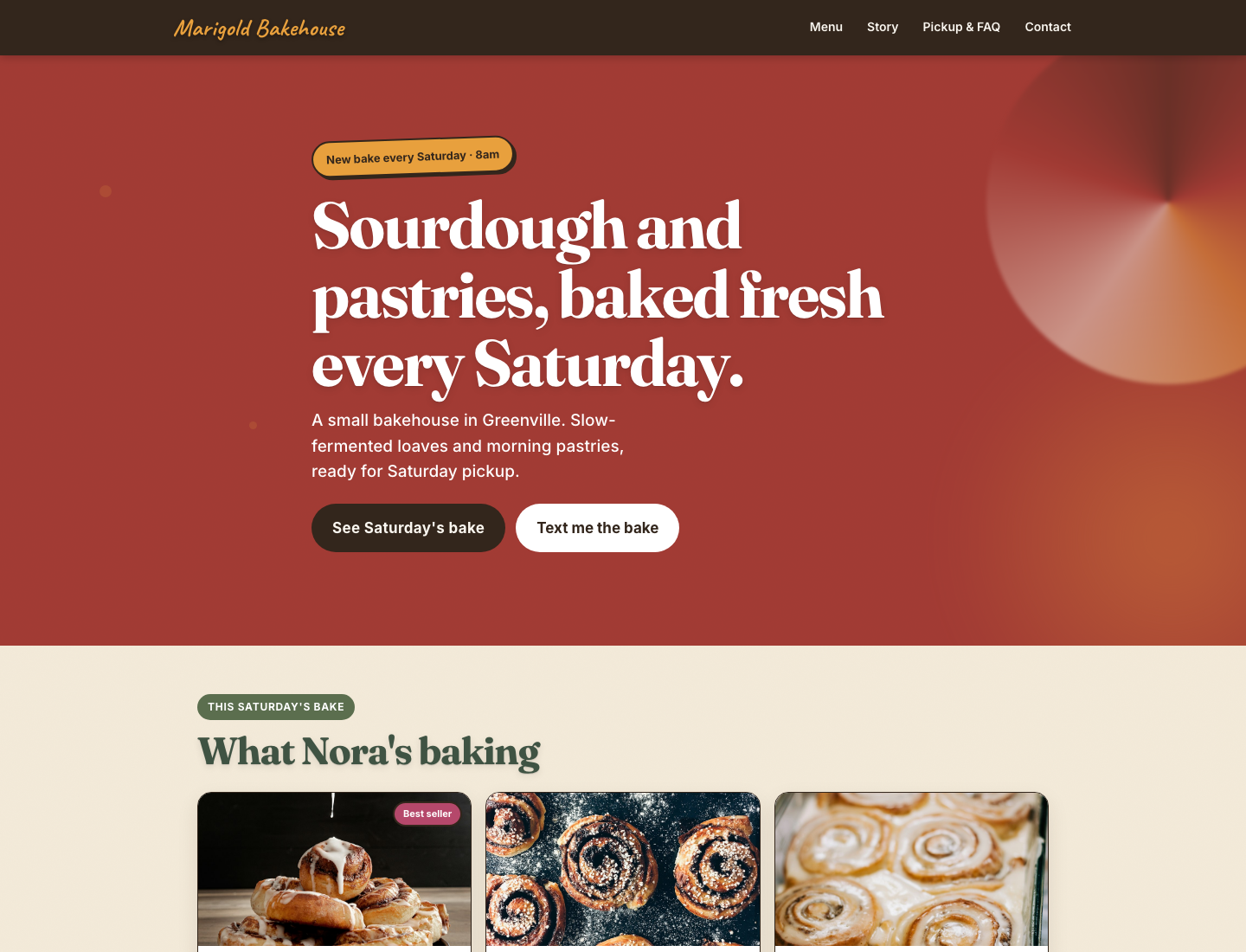
1. What your customer sees
Your own brand and domain, not a Batch-branded shop page. They find it from your Instagram bio or a text.
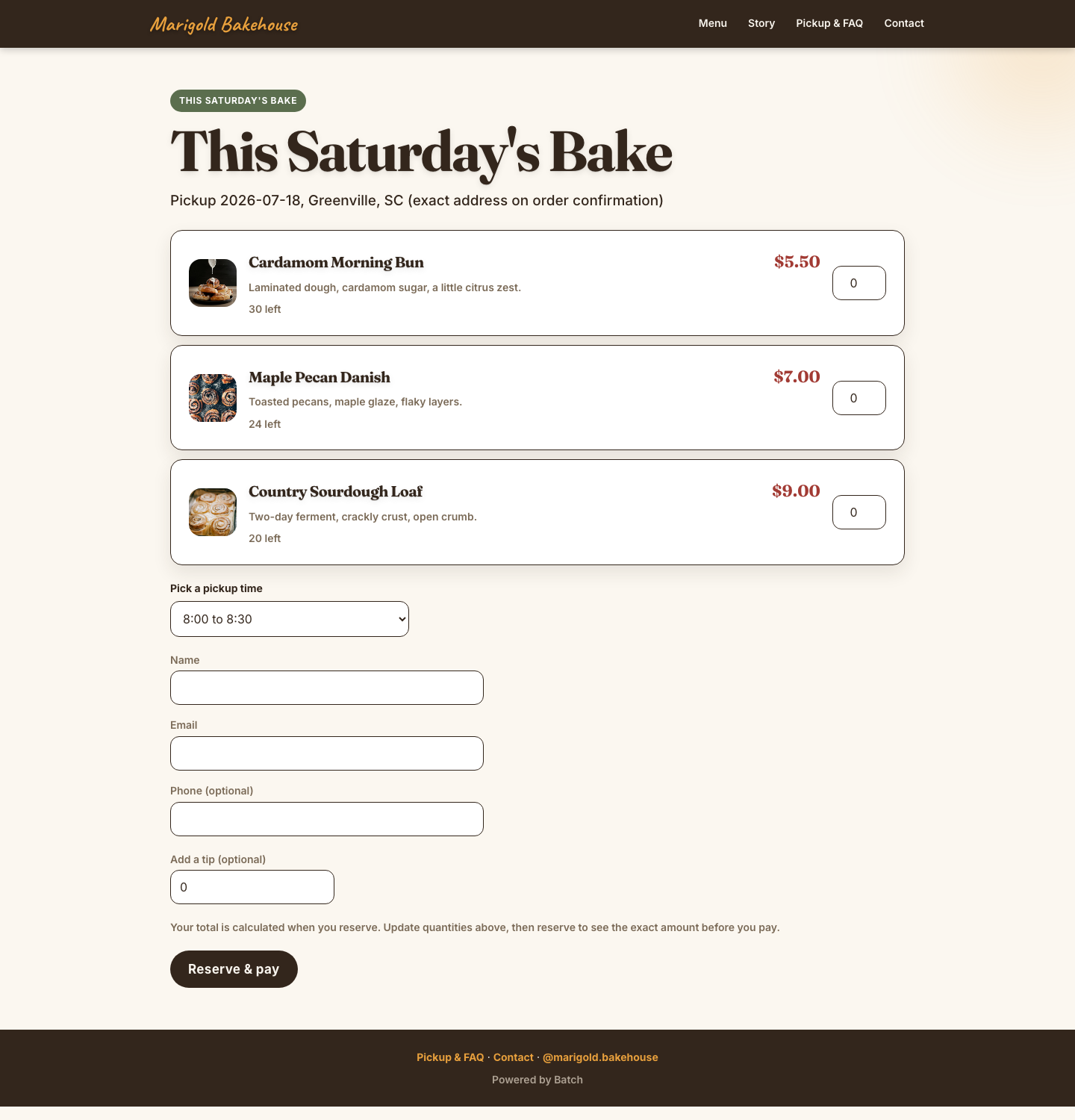
2. How they order
Pick a quantity, a pickup time, and pay. No app to download, no account to create.
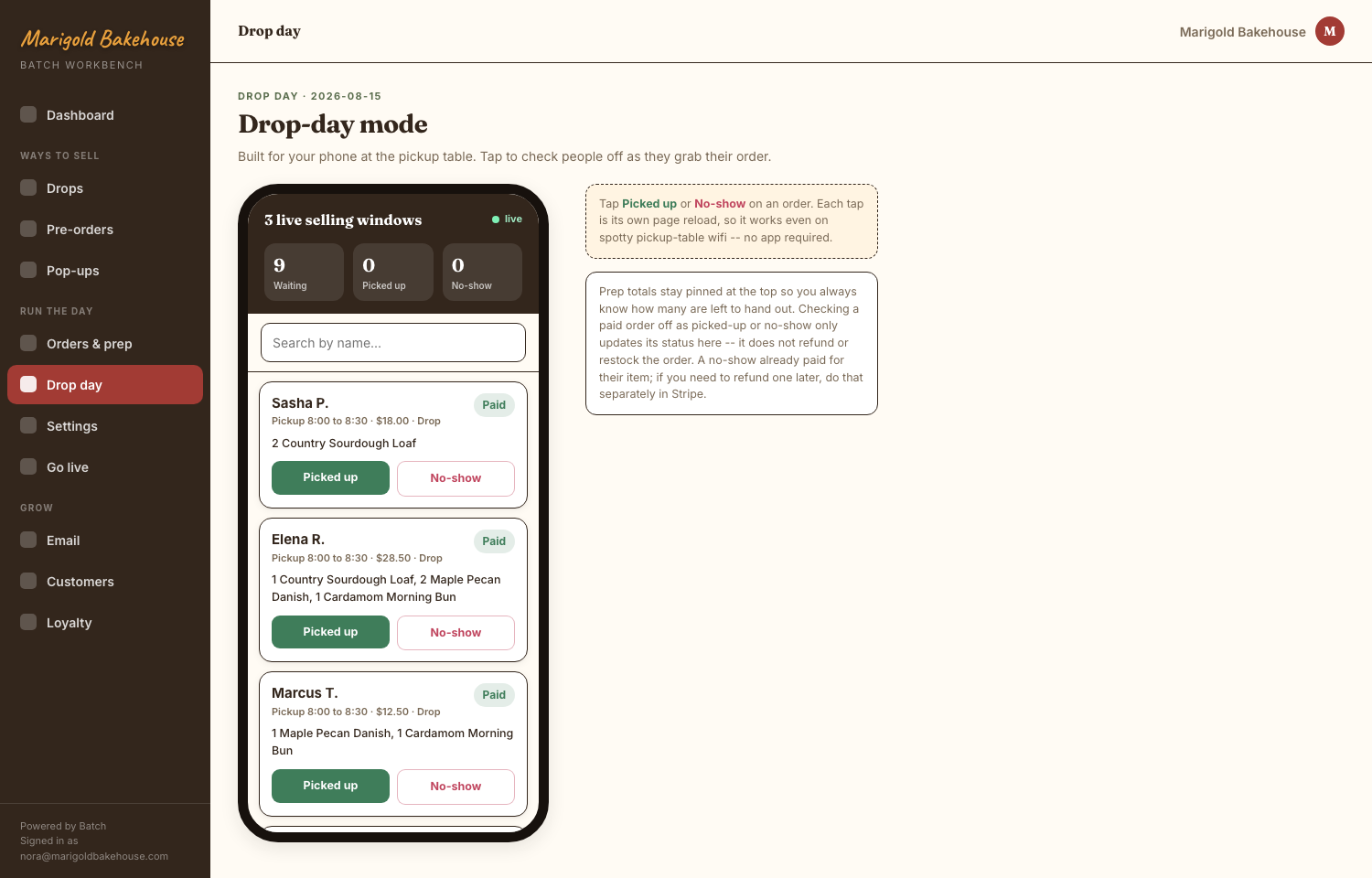
3. Drop day mode
Live sellout state, so your customer sees the truth, not a guess, and never orders something that's gone.
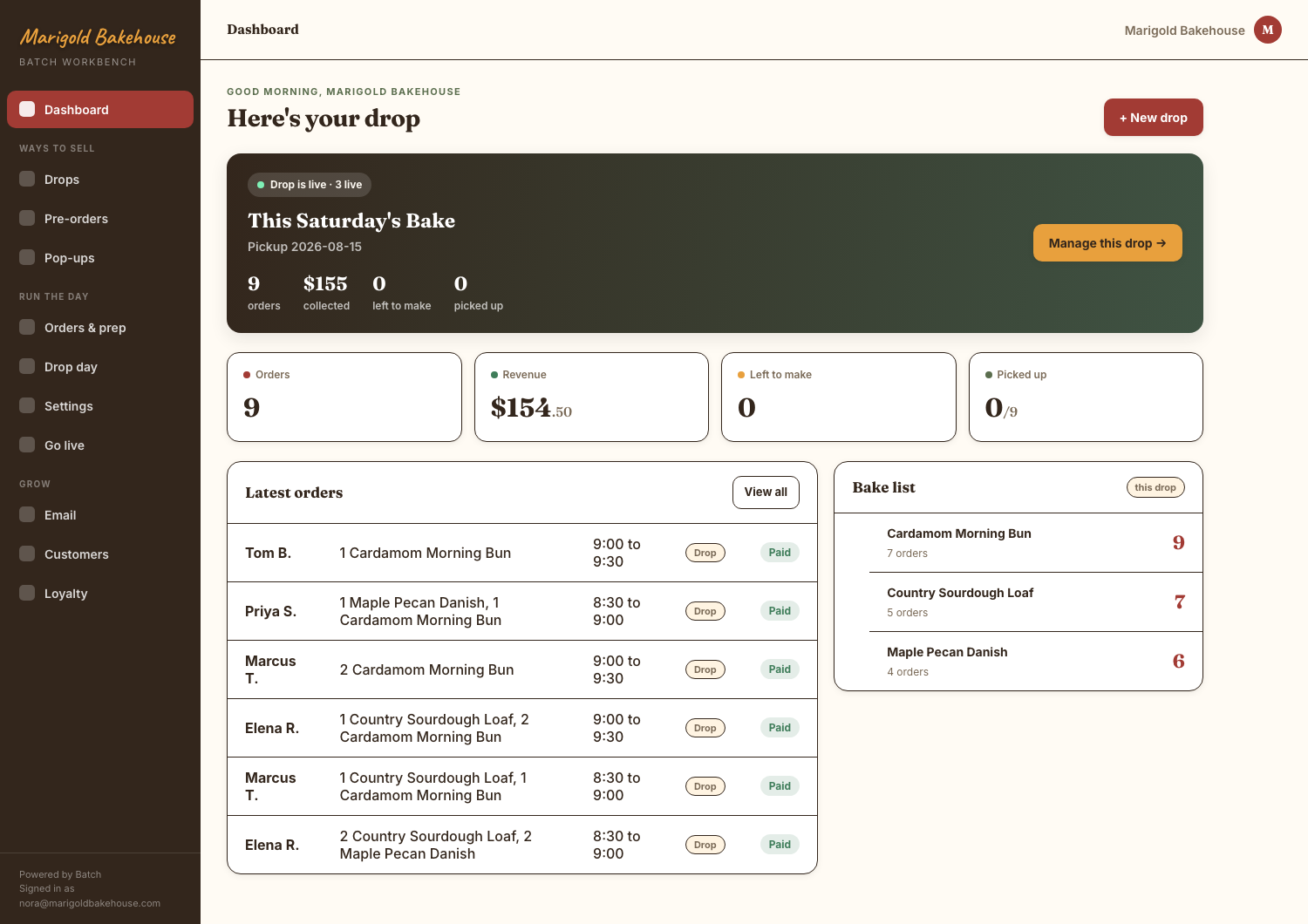
4. Your dashboard
Orders, prep list and this week's numbers, without five tabs open.
What's included from day one
Your own domain and mail set up for you, one login for the site and the list, and corporate/pop-up request forms so a catering ask doesn't get lost in your DMs. The ordering screens above (drops, pre-orders, pickup slots, paid straight to your own Stripe) are part of the same account, switched off until you're ready to turn them on.
Setup, not a template
You don't get handed a blank builder. Setup is capped at one layout choice and two revision rounds, done for you, so it doesn't turn into an open-ended design project. Bring your logo, colors and photos; we bring the domain, mail and list work most people don't want to learn.
See it running for real.
Sunday Crumb's actual site, live today.